
B9 Game withdrawal is the most important step for players in Pakistan who are winning cash rewards. Getting your hard-earned money safely into your wallet account should be fast and simple.
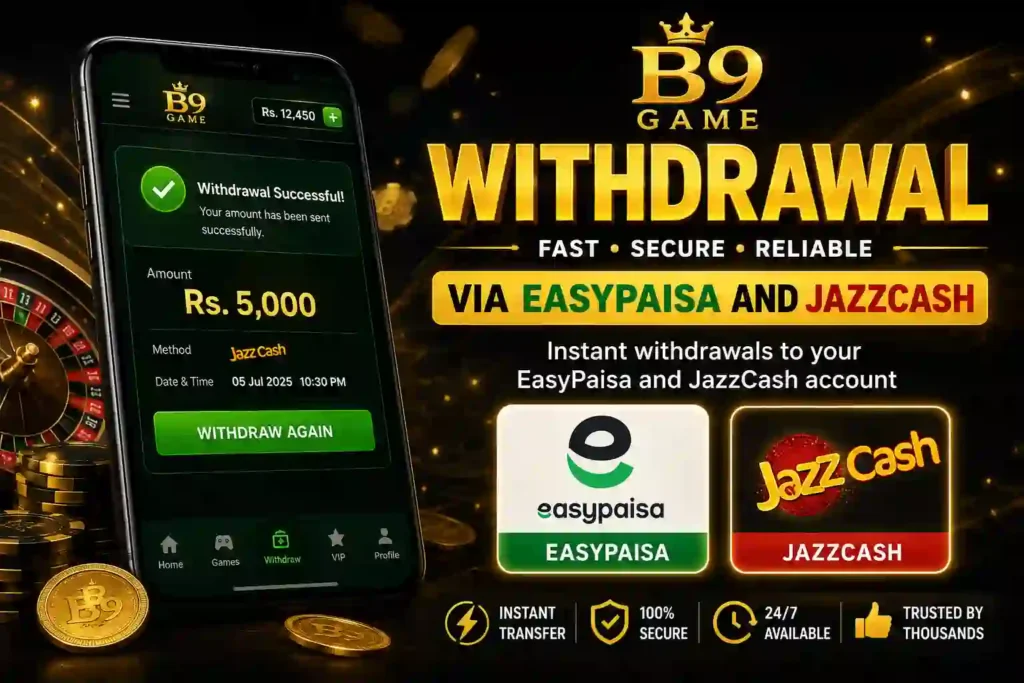
Many players face issues or get confused during the cash-out process. Don’t worry! In this quick 2026 update guide, we will show you the exact, step-by-step method to complete your B9 Game withdrawal using EasyPaisa and JazzCash without any errors.
Table of Contents
Prerequisite: Important Things to Check Before You Withdraw
Before clicking the cash-out button, make sure you check these three things to avoid your withdrawal getting rejected:
- Account Name: The name on your B9 Game account must match the exact name on your EasyPaisa or JazzCash wallet.
- Minimum Balance: Make sure you have the minimum required amount in your game wallet to request a withdrawal.
- Active Wallet: Ensure your EasyPaisa or JazzCash account is active and has enough monthly receiving limit left.
Step-by-Step B9 Game Withdrawal Method
1.Open the Withdrawal Section:
Log in to your B9 Game app. On the main dashboard screen, find and tap on the Withdraw button.
2.Select Your Payment Method:
You will see different payment options. Choose EasyPaisa or JazzCash based on your wallet.
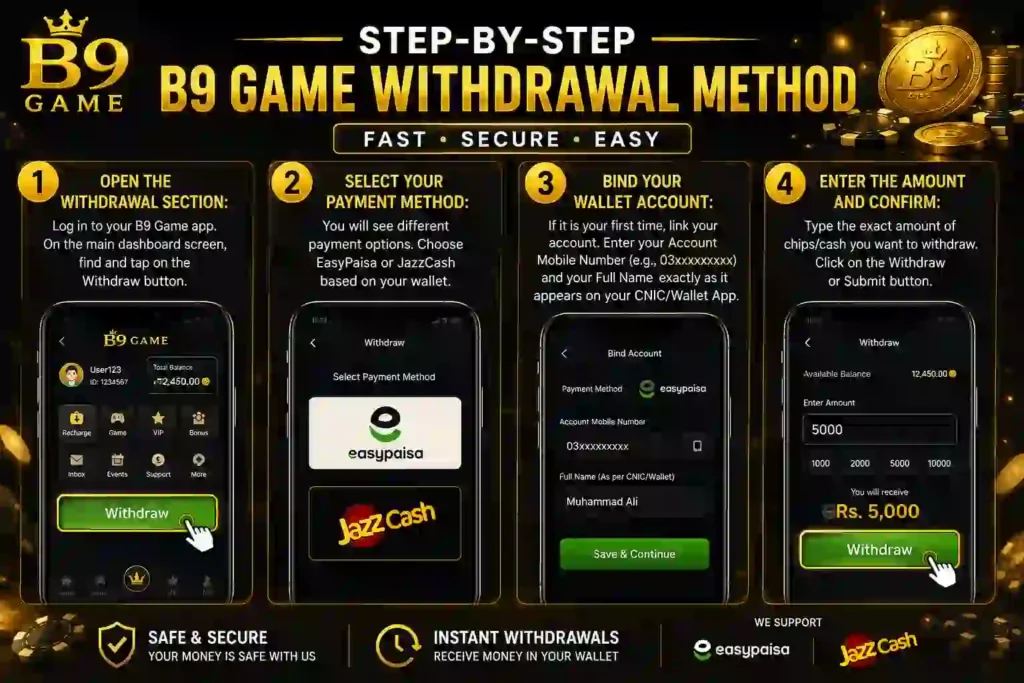
3.Bind Your Wallet Account:
If it is your first time, link your account. Enter your Account Mobile Number (e.g., 03xxxxxxxxx) and your Full Name exactly as it appears on your CNIC/Wallet App.
4.Enter the Amount and Confirm:
Type the exact amount of chips/cash you want to withdraw. Click on the Withdraw or Submit button.
How Long Does the B9 Game Withdrawal Take?
Usually, B9 Game transfers the money very fast.
- Normal Time: Your cash will arrive in your EasyPaisa or JazzCash account within 10 minutes to 1 hour.
- Peak Hours: On weekends or late nights, it can sometimes take up to 24 hours. Do not panic if it shows “Processing.” Just wait patiently.
⚠️ Important Warning: Never share your B9 Game password, OTP codes, or your EasyPaisa/JazzCash MPIN with anyone, not even with people claiming to be B9 Game customer support. Keep your account safe!
What to Do If Your B9 Game Withdrawal Fails?
If your money does not arrive within 24 hours or the status shows “Failed,” follow these quick steps:
- Go to the B9 Game Withdrawal Record tab inside the app to see the rejection reason.
- Check if you typed your phone number correctly.
- Open the Customer Support live chat icon inside the B9 Game app, share your Game ID, and ask them to clear your stuck transaction.
Frequently Asked Questions (FAQ)
1: What is the minimum limit for a B9 Game withdrawal?
The minimum amount you can cash out depends on the current app rules, but it usually starts from as low as 100 to 500 PKR. Make sure you check your wallet balance inside the app before trying to submit a request.
2: Why is my B9 Game withdrawal showing “Processing” or pending?
A pending status usually means the payment system is busy, especially during peak hours, weekends, or late at night. Most transactions clear within 10 minutes to an hour, but it can occasionally take up to 24 hours.
3: Can I change my EasyPaisa or JazzCash account number after binding it?
For security reasons, changing your linked mobile wallet account number is not directly allowed in the settings. If you need to fix a wrong number, you must contact the live customer support inside the app to update your details.
4: Are there any hidden fees for a B9 Game withdrawal?
Most mobile gaming apps deduct a very small percentage or tax (around 3% to 5%) for processing transfers to local mobile wallets. Check the final checkout screen to see the exact amount that will arrive in your wallet.
5: What should I do if my B9 Game withdrawal fails and the chips disappear?
Don’t worry, your money is safe. If a transaction fails, the chips are usually sent back to your game wallet automatically. If the amount is missing, open the in-app customer service chat immediately, provide your Game ID, and show them a screenshot of your withdrawal history.
What to Read Next?
If you want to win more cash to withdraw, we have plenty of tips for you! If you are new to the app, first check out our easy B9 Game Registration Guide to set up your account properly. After that, you can learn how to multiply your money fast by reading our complete Aviator Game Winning Tricks. Don’t forget to visit our main Updates Page regularly to find the newest features, free bonuses, and the latest APK downloads to keep your game running smoothly.